Interview transcription that keeps your source confidential
Journalists, researchers and anyone recording a conversation they promised to protect: Murmur produces a verbatim, speaker-separated transcript without a single byte leaving the phone.


Confidentiality is not a setting
Uploading an interview to a transcription service means a third party now holds your source’s voice. For sensitive work that is a non-starter — and “we delete it after 30 days” is a promise, not a guarantee.
- Nothing to upload, nothing to trust
- The speech model runs locally. There is no account, no server, and no data-processing agreement to negotiate.
- Interviewer and interviewee, separated
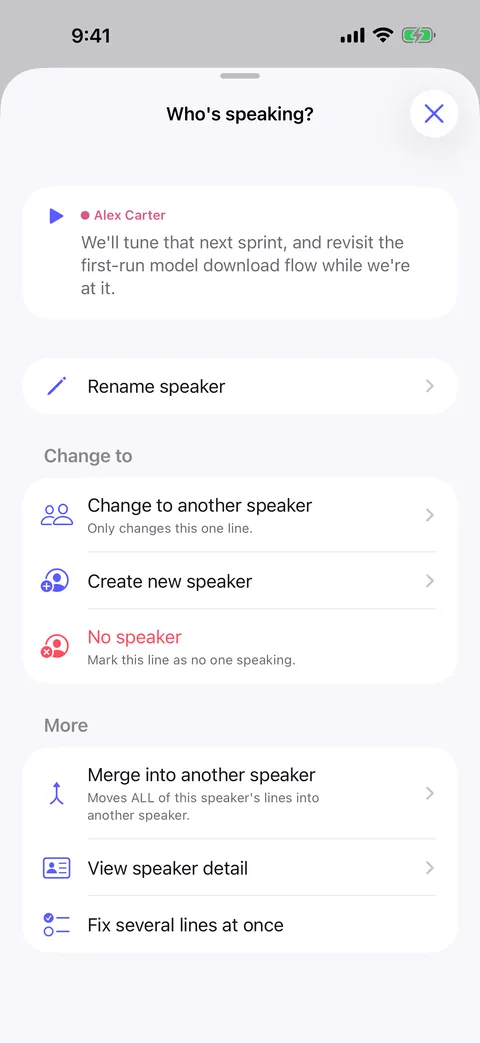
- Two-voice interviews come back cleanly split, so quotes are attributable without replaying the tape.
- Field-ready
- No signal required. Record in a car, a corridor or a remote village and get the transcript on the spot.
- Quote-checking made fast
- Tap any transcript line to replay exactly that sentence and verify the wording before you publish.
How it goes
Start to finish
- 01
Record the interview in the app, or import a file you already captured.
- 02
Murmur transcribes it on-device and separates the voices.
- 03
Tap a line to replay it and confirm a quote word for word.
- 04
Export to Word, PDF, Markdown or plain text for your write-up.
FAQ
Interview transcription — common questions
Can I transcribe a recording made on another device?
How accurate is the transcript?
Can I translate a foreign-language interview?
Does anything about my interview reach the internet?
Start with your next conversation.
Download Murmur, download a speech model once, and every recording after that is transcribed on your own device — meetings, interviews, lectures, ideas on a walk.
Free to download · No account · Works with no signal
The free version transcribes the first 20 minutes of each recording on iPhone, iPad and Android; Murmur Pro is a one-time purchase that lifts the limit.