Private because it is local
No account, no sign-up, no upload. The speech model runs on your device, so your recordings and transcripts stay yours by architecture, not by policy.
100% on-device · No account · Works offline
Murmur is an offline voice recorder for iPhone, iPad and Android. It turns meetings, interviews and lectures into searchable text, automatically labels each speaker, and keeps the entire transcription process on your device.

Why Murmur
Most transcription apps ship your conversation to somebody else's server to do it. Murmur does the whole job — listening, writing, separating voices — on the phone in your hand.
No account, no sign-up, no upload. The speech model runs on your device, so your recordings and transcripts stay yours by architecture, not by policy.
Each line carries the name of the person who said it, color-coded. Murmur builds a library of voices, so people it has met before are recognized next time.
A plane, a basement meeting room, a field interview in the middle of nowhere. Download a model once and Murmur keeps transcribing.
Features
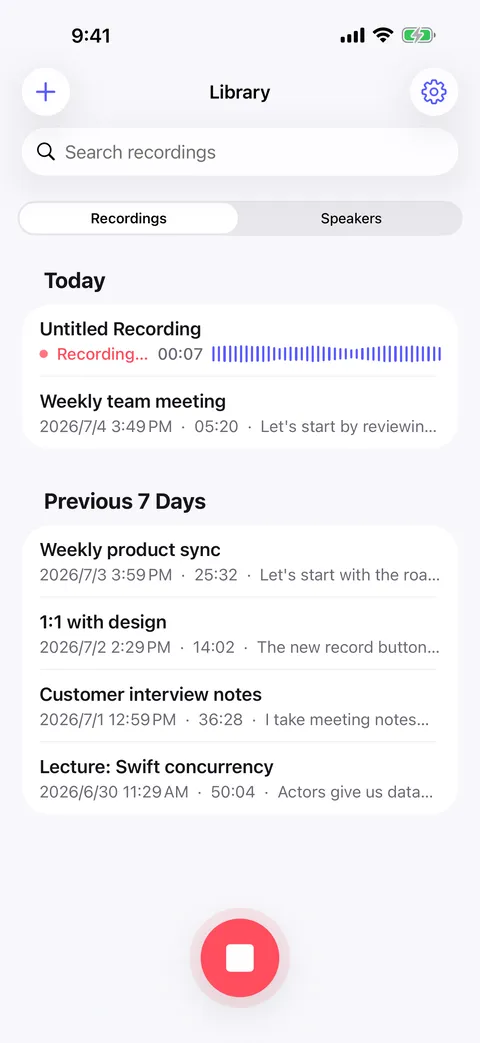
Record
A familiar voice recorder that happens to write everything down. Start a recording and Murmur transcribes it on-device, detecting the spoken language automatically.
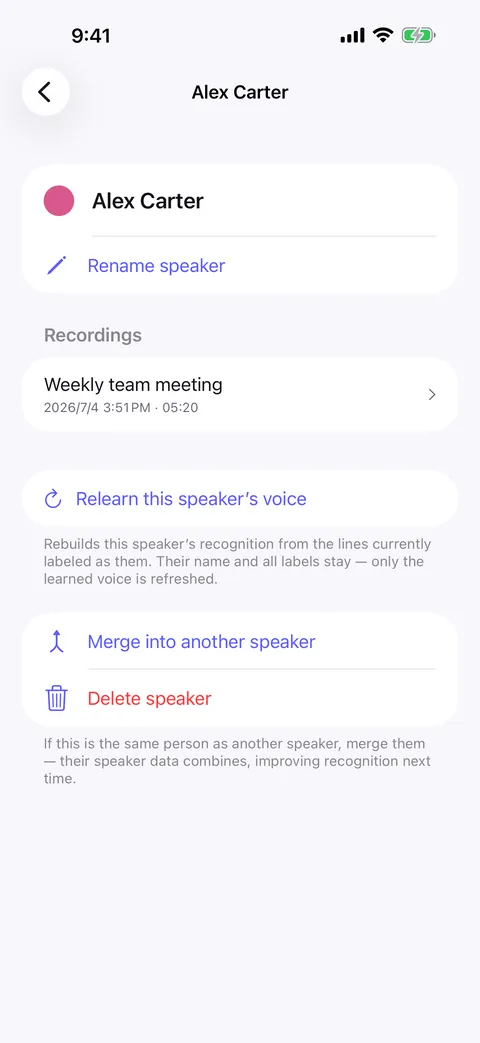
Speakers
Name a voice once and Murmur recognizes it the next time that person speaks. Merge duplicates, relearn a voice, and the identification keeps getting better.
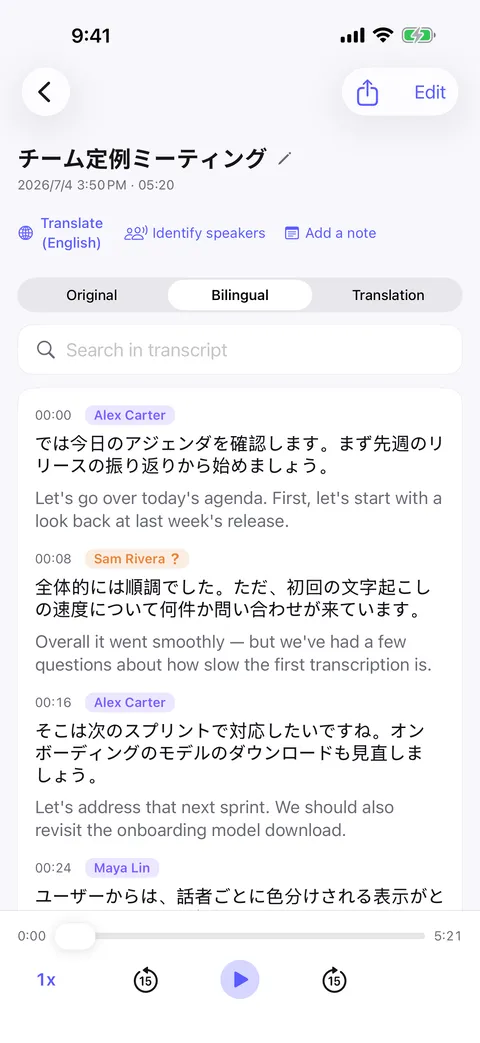
Translate
Turn any transcript into another language line by line, on-device. Read translation-only, or side by side with the original for study and review.
Export
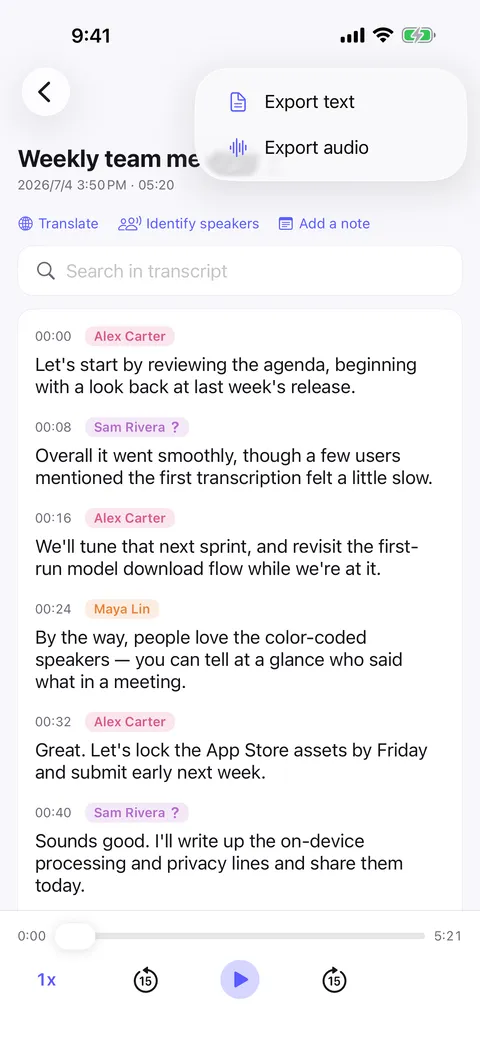
Take the transcript wherever the work happens: a document, an email, your notes app, or an AI assistant that summarizes it and pulls out action items. Speaker names and translations come along.
Search
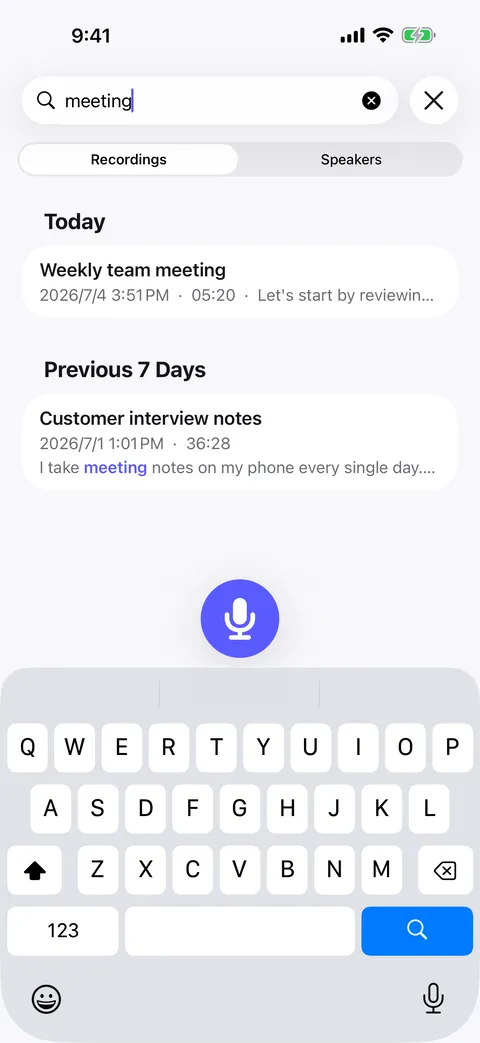
Search inside a transcript or across the library and jump straight to the moment. Matches are highlighted exactly where they appear.
Playback & corrections
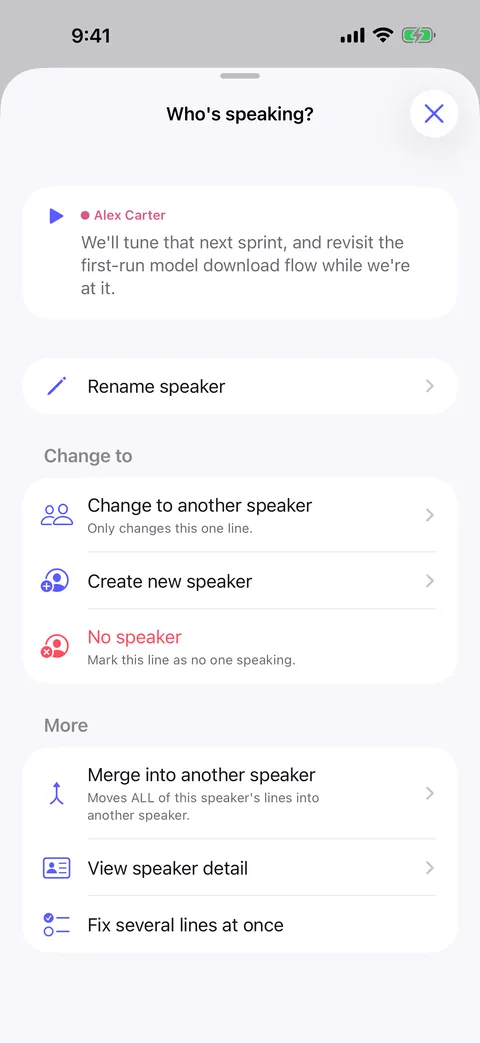
The transcript scrolls along with the audio as it plays, and any single line can be replayed on its own. If a line was attributed to the wrong person, reassign it — for that line, or for every line by that speaker.
Privacy
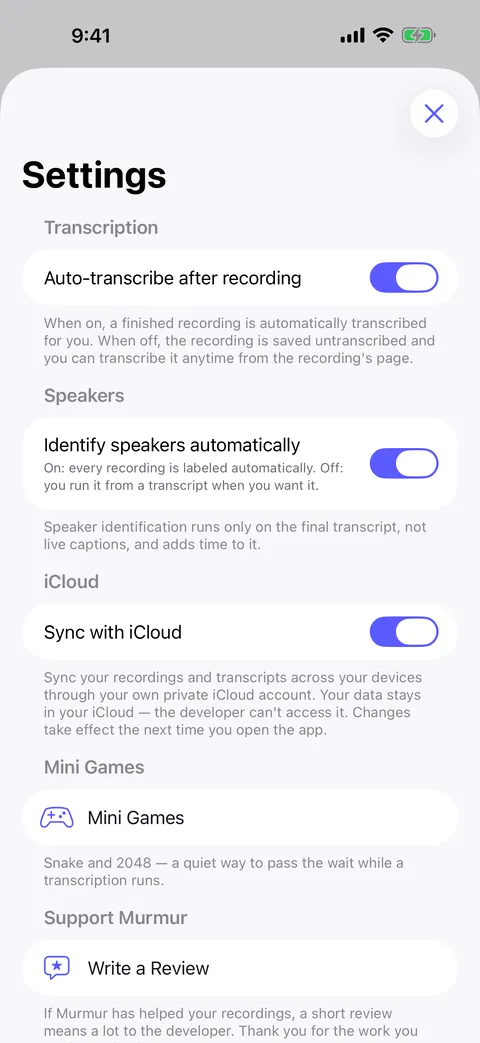
This is not a promise about how we handle your data. It is a statement about where the work happens: on your phone, by a model on your phone, with no server in the loop.
Read the full privacy policy.
How it works
Open Murmur and record the meeting, the interview, the lecture, or a thought on a walk. Long takes keep running in the background.
The speech model runs on your device, detects the spoken language and produces a timestamped transcript with each speaker labeled.
Tap a line to replay it, search the whole transcript, translate it, then export to PDF, Word, Markdown or plain text — or hand it to your AI assistant.
Use cases
Stay in the conversation instead of taking notes. Every decision is in the transcript, attributed to the person who made it.
See meeting transcriptionJournalists and researchers get a verbatim, speaker-separated record that never leaves the device — sources stay confidential.
See interview transcriptionRecord the lecture, read it back with the audio scrolling in sync, and search for the one definition you need before the exam.
See lecture notesImport a speech or a podcast, tap any sentence to replay it, and read the translation line by line next to the original.
See language learningAlready have the recording? Import a voice memo, a meeting file or a video and read it back as text, speakers included.
See audio file transcriptionLanguages
Record in whatever language the room is speaking — Murmur works out which one it is. The app interface itself ships in English, Simplified Chinese, Traditional Chinese, Japanese, Korean, German, French, Spanish, Italian, Brazilian Portuguese, Russian, Polish, Ukrainian, Turkish, Hindi, Indonesian, Thai and Vietnamese.
FAQ
More answers on the full FAQ page.
Download Murmur, download a speech model once, and every recording after that is transcribed on your own device — meetings, interviews, lectures, ideas on a walk.
Free to download · No account · Works with no signal
The free version transcribes the first 20 minutes of each recording on iPhone, iPad and Android; Murmur Pro is a one-time purchase that lifts the limit.