Features
Offline transcription, speaker identification and export
Murmur is a voice recorder with a transcription engine, a speaker-identification engine and a translator built in — all of them running locally on your phone. Here is the whole surface, feature by feature.


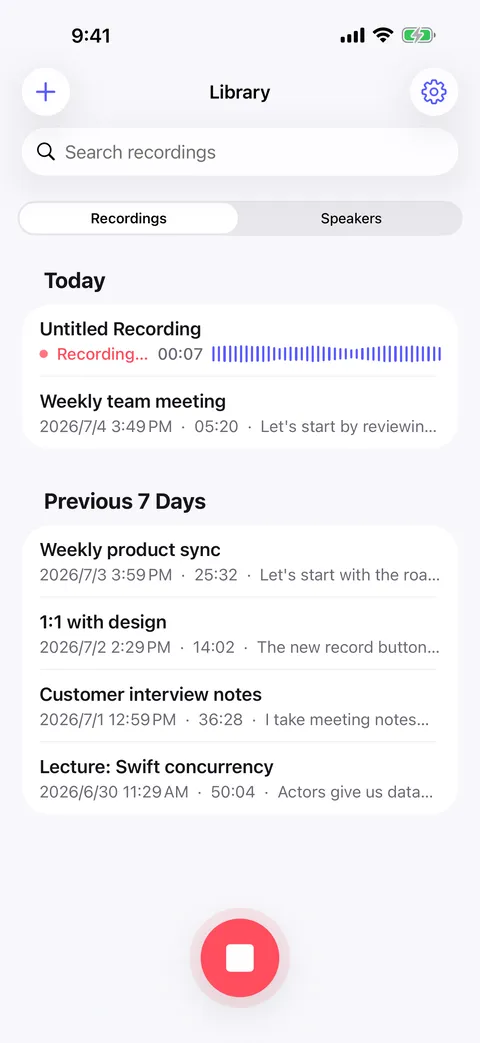
Transcription
Speech to text, on the device
Murmur runs a speech recognition model locally. There is no upload step, no queue, and no “processing on our servers” screen — the phone does the work.
- Automatic language detection
- 100+ spoken languages, worked out from the audio itself.
- Timestamped transcript
- Every line is anchored to the moment it was said, so audio and text stay in step.
- Background recording
- Long meetings and lectures keep recording while you use other apps.
- Automatic space saving
- After a recording is transcribed its audio is compressed in the background — the transcript and playback survive intact.
Speakers
Identify speakers and recognize them again
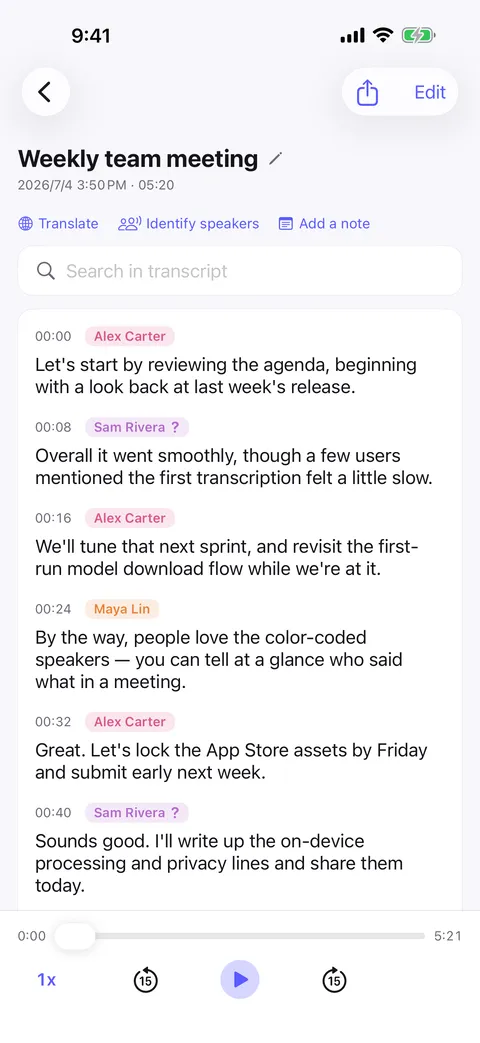
Speaker separation is the part most recorders skip. Murmur splits the conversation by voice, color-codes it, and remembers people between recordings.
- Color-coded labels
- A four-person meeting reads like a script instead of a wall of text.
- A people library
- Name a voice once; Murmur recognizes it the next time that person is in the room.
- Merge and relearn
- Fix a mis-identification and the model of that voice improves for future recordings.
- Works with imported audio too
- Files you bring in get the same speaker treatment as recordings made in the app.
Translation
The same conversation, in your language
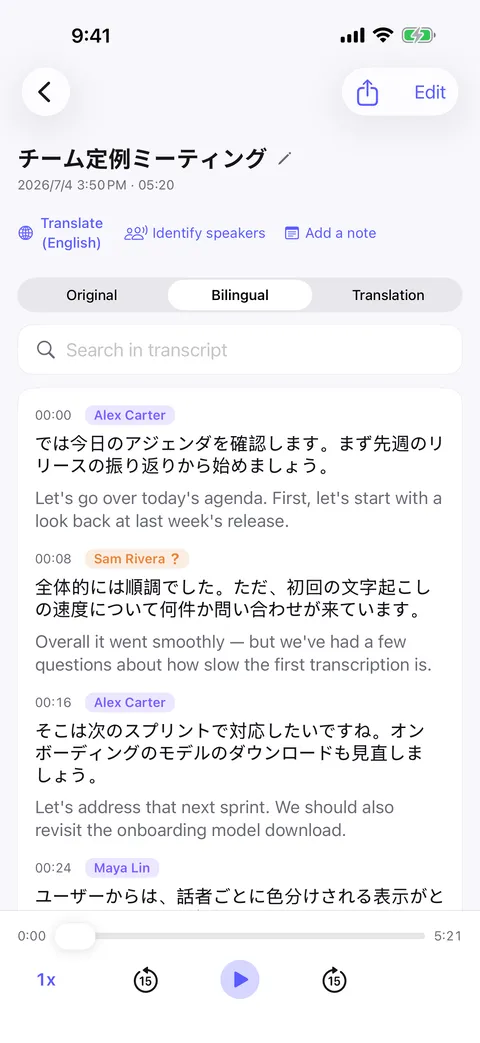
Translate a finished transcript line by line without leaving the recording, and read it whichever way helps.
- Bilingual view
- Original and translation side by side, line for line.
- Translation-only view
- When you just want to read it in your own language.
- Speaker labels preserved
- Translated lines still say who said them.
- Exports with the translation
- Share the bilingual version as PDF, Word, Markdown or text.
Import & export
Import audio or video and export the transcript
Murmur is not a walled garden. Whatever you already recorded can come in, and whatever it produces can go anywhere.
- Import audio and video
- Voice memos, meeting recordings, lectures, video files — transcribed on-device with speakers labeled.
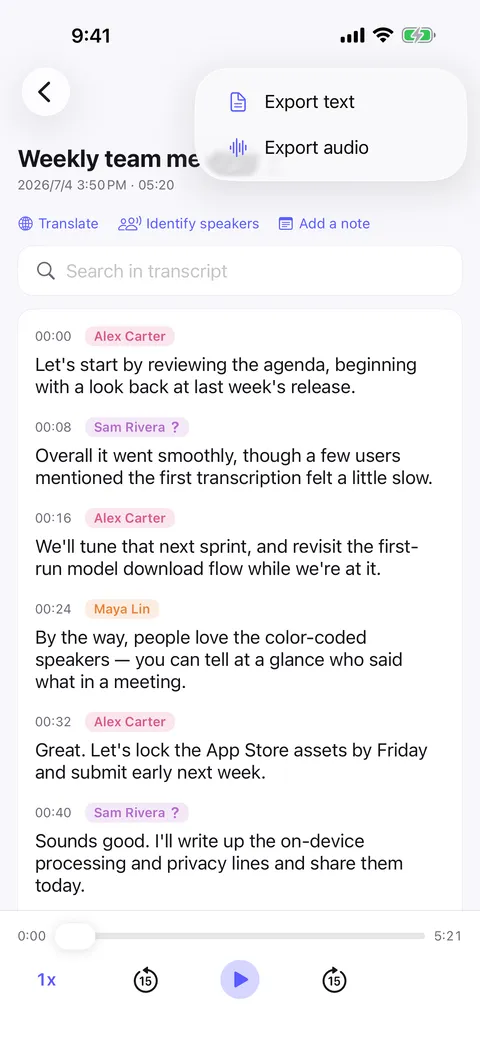
- Export as Plain text, Markdown, PDF, Word
- With speaker names and, if you made one, the translation.
- Share the original audio
- The recording itself is still a normal file you can send.
- Hand it to your AI
- Drop the exported transcript into any assistant to summarize it or pull action items — on your terms, with your tools.
Reading & search
Search transcripts and replay any sentence
A transcript is only useful if you can get back to the ten seconds that mattered.
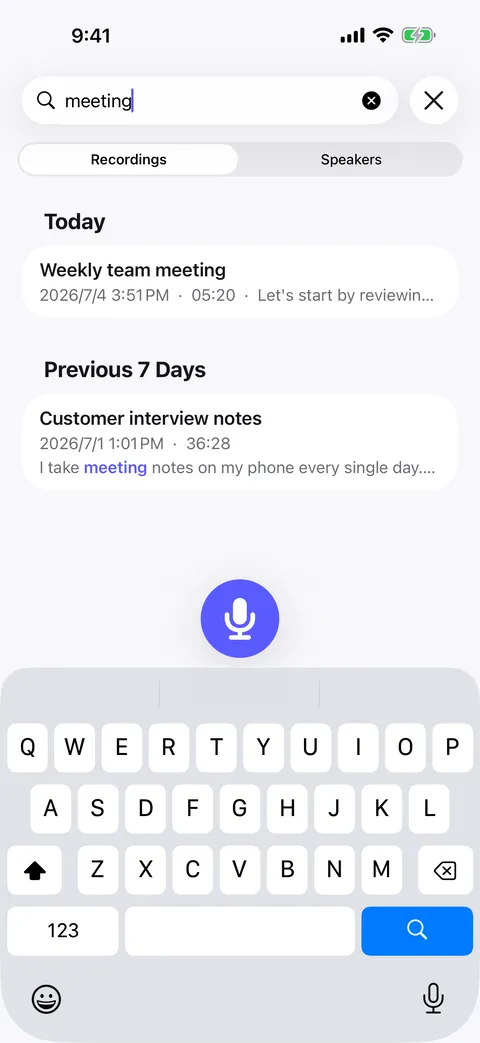
- Full-text search
- Search inside a transcript with matches highlighted in place.
- Synced playback
- The transcript scrolls with the audio as it plays.
- Tap-to-replay
- Tap any single line to hear just that sentence — made for repeating one line until it sticks.
- Recording notes
- Add your own note to a recording alongside the transcript.
Privacy & sync
Private by architecture, synced by your iCloud
The privacy story is short because there is no server side to explain.
- No account, no sign-up
- Nothing to register, nothing to log into.
- Nothing sent to our servers
- Recordings, transcripts and speaker data stay on the device.
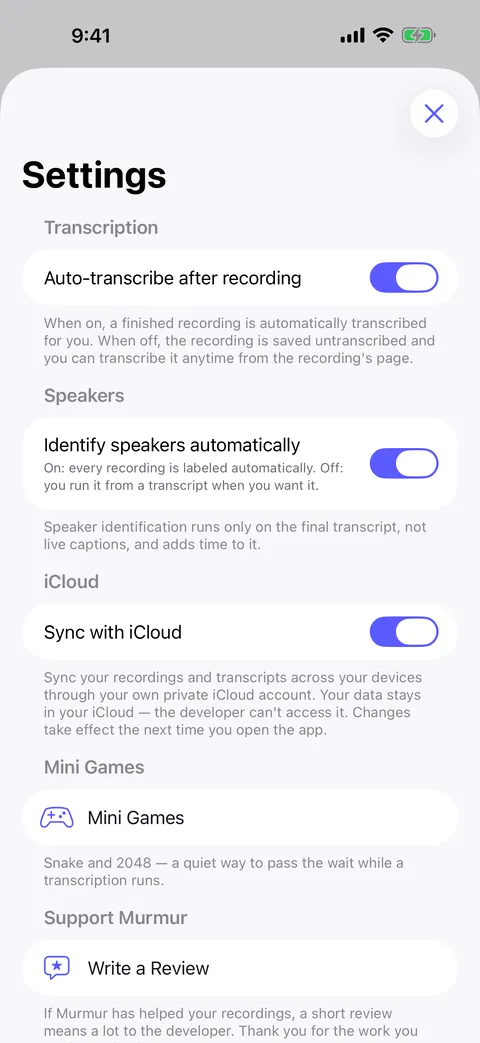
- Optional iCloud sync
- If you turn it on, your recordings sync through your own private iCloud account — we never see it.
- Fully offline capable
- Download a model once and Murmur never needs the network again.
At a glance
Murmur in one table
| Record audio | Yes |
|---|---|
| Transcribe speech to text | On-device |
| Identify and label speakers | On-device |
| Recognize the same person across recordings | Yes |
| Translate a transcript | On-device |
| Import existing audio or video | Yes |
| Export text / Markdown / PDF / Word | Yes |
| Full-text search | Yes |
| Works with no network | Yes |
| Account required | No |
| Recordings uploaded to our servers | Never |
| Devices | iPhone, iPad and Android |
| Minimum OS | iOS 18 · Android 8.0 |
| App interface languages | English, Simplified Chinese, Traditional Chinese, Japanese, Korean, German, French, Spanish, Italian, Brazilian Portuguese, Russian, Polish, Ukrainian, Turkish, Hindi, Indonesian, Thai, Vietnamese |
Try it on your next recording.
Download Murmur, pick a speech model once, and everything on this page runs on your own device from then on.
Free to download · No account · Works with no signal
The free version transcribes the first 20 minutes of each recording on iPhone, iPad and Android; Murmur Pro is a one-time purchase that lifts the limit.