Record the lecture, search it before the exam
Stop choosing between listening and writing. Murmur records the lecture and turns it into a timestamped transcript you can search, replay sentence by sentence, and export as study notes.

Notes taken at speaking speed are notes with holes in them
You either follow the argument or you write it down. A recording alone does not fix it — nobody re-listens to a 90-minute lecture to find one definition.
- Searchable, not just recorded
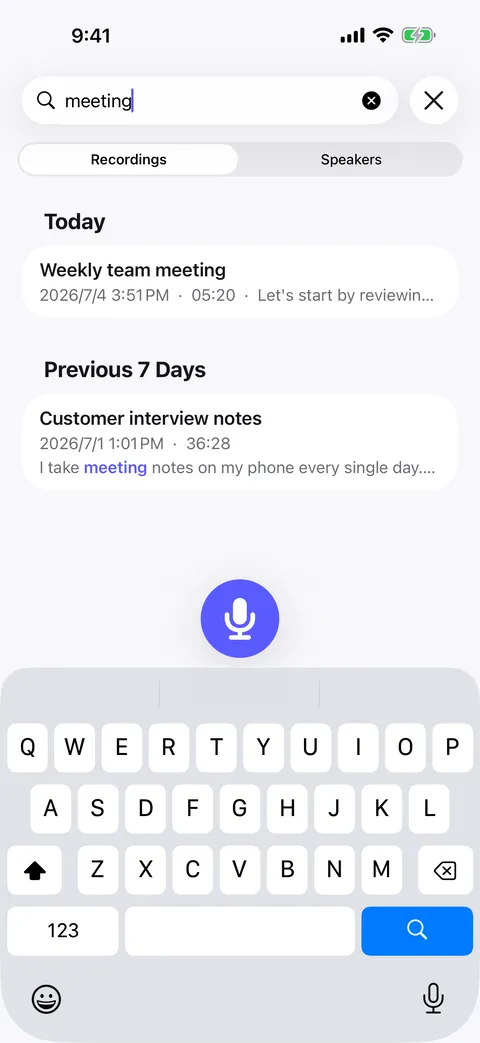
- Type the term and jump to the second the lecturer defined it, with the match highlighted in place.
- Read along with the audio
- The transcript scrolls in sync while it plays, so revision is reading, not scrubbing.
- Tap one line, hear one line
- Replay a single sentence as many times as it takes — no fiddling with a scrubber.
- Notes you can hand in or hand over
- Export as Plain text, Markdown, PDF, Word, or pass the transcript to an AI assistant to generate a summary or flashcards.
How it goes
Start to finish
- 01
Start a recording at the beginning of the lecture and put the phone down.
- 02
Murmur transcribes on-device — no campus Wi-Fi needed.
- 03
Later, search the transcript for the concept you need and tap the line to replay it.
- 04
Export your notes, or add your own note to the recording.
FAQ
Lecture notes — common questions
Can it record a two-hour lecture?
Does it work without campus Wi-Fi?
Can I transcribe a recorded lecture I already have?
Can it handle a lecture in another language?
Start with your next conversation.
Download Murmur, download a speech model once, and every recording after that is transcribed on your own device — meetings, interviews, lectures, ideas on a walk.
Free to download · No account · Works with no signal
The free version transcribes the first 20 minutes of each recording on iPhone, iPad and Android; Murmur Pro is a one-time purchase that lifts the limit.